Realtime chat
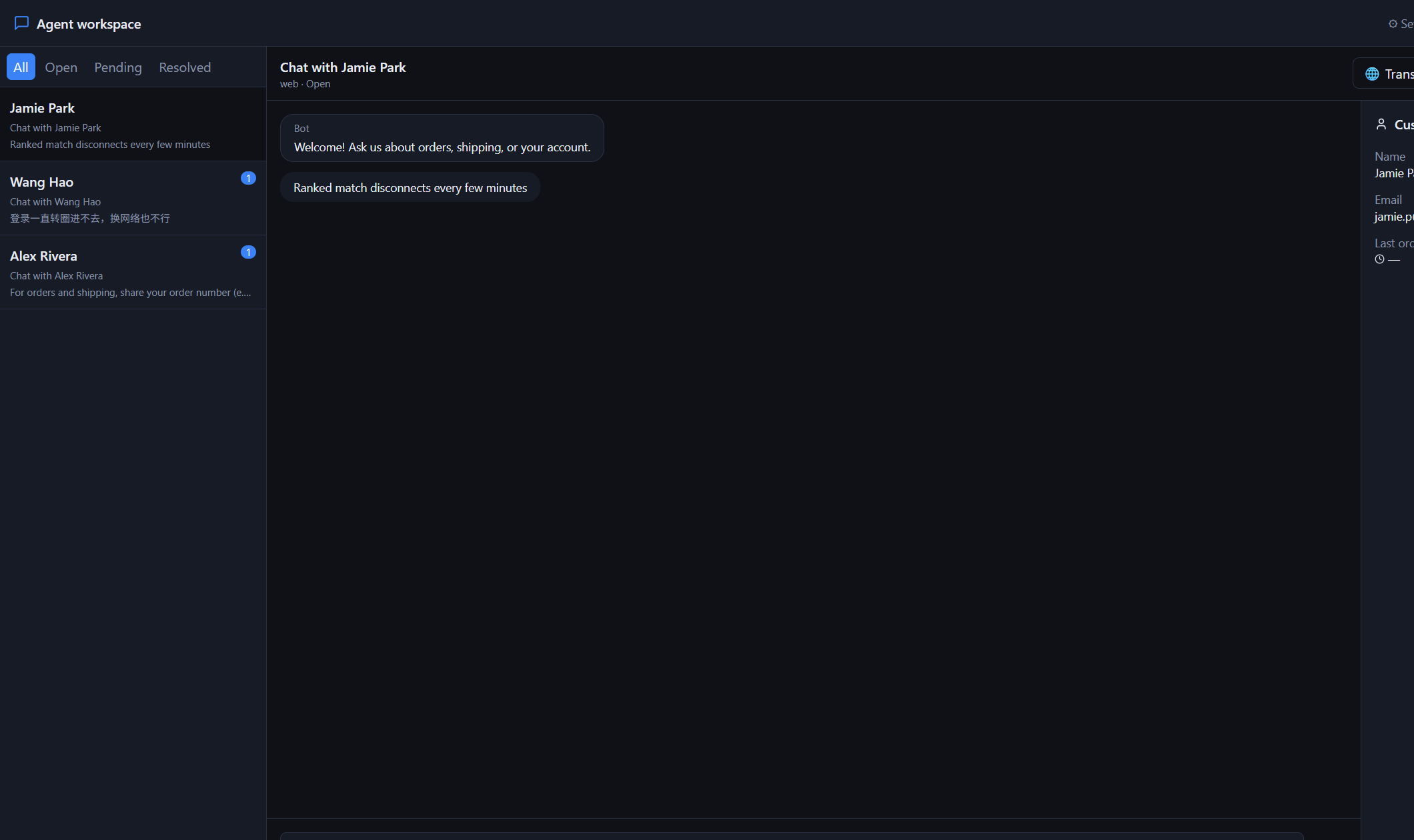
WebSocket inbox — visitors and agents in the same live conversation.
62desk
Live chat, auto-translate, agent inbox, and tickets — one workspace for your team to serve players worldwide.
Built for high-volume game support — not a generic ticket form.
WebSocket inbox — visitors and agents in the same live conversation.
Players write in any language; agents reply in theirs — system translates both ways.
FAQ answers first; hand off to a human with a ticket when needed.
Escalate complex cases, keep 30-day history, collect CSAT after chat.
Clear boundaries for data and access — without the enterprise brochure fluff.
Each merchant’s chats, agents, and widget key stay separated.
Agent, Admin, and Platform consoles use authenticated access.
Conversation history is kept for about 30 days, then purged.
Agents work from a single realtime workspace — assign, reply, and resolve without jumping tools.
Same-language replies skip translation. Cross-language messages translate automatically — so one team covers global players.
// Agent replies in Chinese · player sees English
visitor: Ranked disconnects every few minutes
agent:  收到,请发 UID 和大约对局时间
→ auto EN for the player
One script tag. Try the live bubble on this page — messages land in the agent desk.
<!-- Drop on your site -->
<script
  src="https://62desk.com/widget.js"
  data-widget-key="pk_your_key"
></script>
Connect once. Your agents take over from the desk.
Create the account in Platform — admin login and widget key in one step.
Embed the widget or link players to your support chat page.
Staff sign in to the workspace and handle conversations in realtime.
Add the widget script with your merchant widget key. Players open the bubble; messages appear in Agent inbox in realtime.
Agent is for support staff. Admin is for a merchant’s managers (KB, tickets, agents). Platform is the top console for all merchants.
The agent UI supports 10 languages. Chat auto-translate works across languages so one team can serve global players.
Yes — a Windows client is available for the support team. Ask your admin; it is not offered as a public download on this site.
Open the agent workspace or manage merchants from admin.